前言
嘿,聪明的你,别错过下面这些关于Cursor的小技巧哦!
代码Review
你想让AI帮你快速Review代码,那就得在项目的根目录下新建一个“.cursor/commands”文件夹,然后在里面放一个叫“code-review.md”的文件。
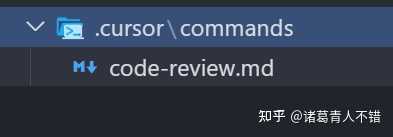
在这个code-review.md文档里,写上你的代码Review规则,比如:
# Code Review

## Overview

Perform a thorough code review that verifies functionality, maintainability, and
security before approving a change. Focus on architecture, readability,
performance implications, and provide actionable suggestions for improvement.

## Profile

- Language: 简体中文

## Steps

1. **Understand the change**
   - Read the PR description and related issues for context
   - Identify the scope of files and features impacted
   - Note any assumptions or questions to clarify with the author
2. **Validate functionality**
   - Confirm the code delivers the intended behavior
   - Exercise edge cases or guard conditions mentally or by running locally
   - Check error handling paths and logging for clarity
3. **Assess quality**
   - Ensure functions are focused, names are descriptive, and code is readable
   - Watch for duplication, dead code, or missing tests
   - Verify documentation and comments reflect the latest changes
4. **Review security and risk**
   - Look for injection points, insecure defaults, or missing validation
   - Confirm secrets or credentials are not exposed
   - Evaluate performance or scalability impacts of the change

## Review Checklist

### Functionality

- [ ] Intended behavior works and matches requirements
- [ ] Edge cases handled gracefully
- [ ] Error handling is appropriate and informative

### Code Quality

- [ ] Code structure is clear and maintainable
- [ ] No unnecessary duplication or dead code
- [ ] Tests/documentation updated as needed

### Security & Safety

- [ ] No obvious security vulnerabilities introduced
- [ ] Inputs validated and outputs sanitized
- [ ] Sensitive data handled correctly

## Additional Review Notes

- Architecture and design decisions considered
- Performance bottlenecks or regressions assessed
- Coding standards and best practices followed
- Resource management, error handling, and logging reviewed
- Suggested alternatives, additional test cases, or documentation updates
  captured

Provide constructive feedback with concrete examples and actionable guidance for
the author.
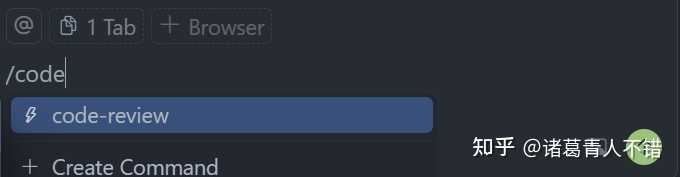
接着,你只需在Chat窗口输入/code,这样就能调出你刚建的命令。再用”@”标记你想Review的代码上下文,Cursor就能迅速帮你完成Review并给出反馈。
比如,你可以让Cursor来Review一下git工作区里最新的变更代码。
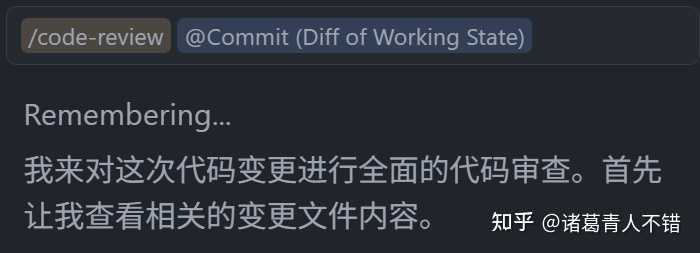
太棒了,你已经掌握了Slash Command!只需在项目根目录下创建“.cursor/commands”文件夹,然后放入对应的markdown文件,文件名就是你后续要用的命令,内容写明Cursor需要做的事情、规范和流程,这样在Chat栏就能快速调用,提升工作效率。
显示当前Pro用量
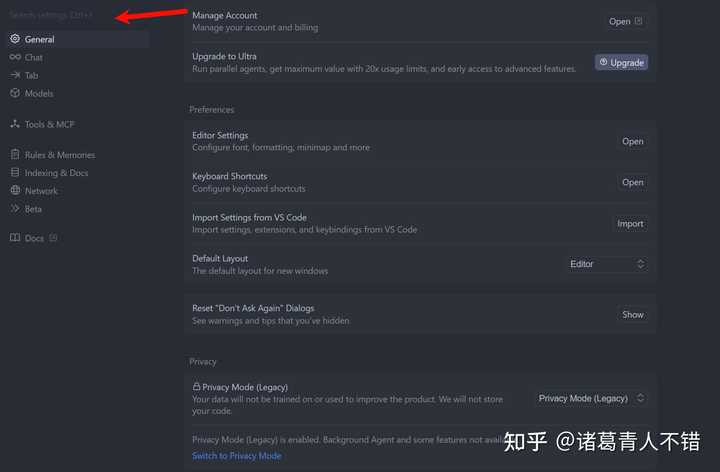
你想查看Pro账号的剩余额度,可以打开Cursor的设置,输入Usage Summary。
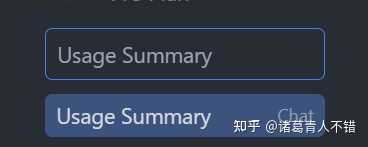
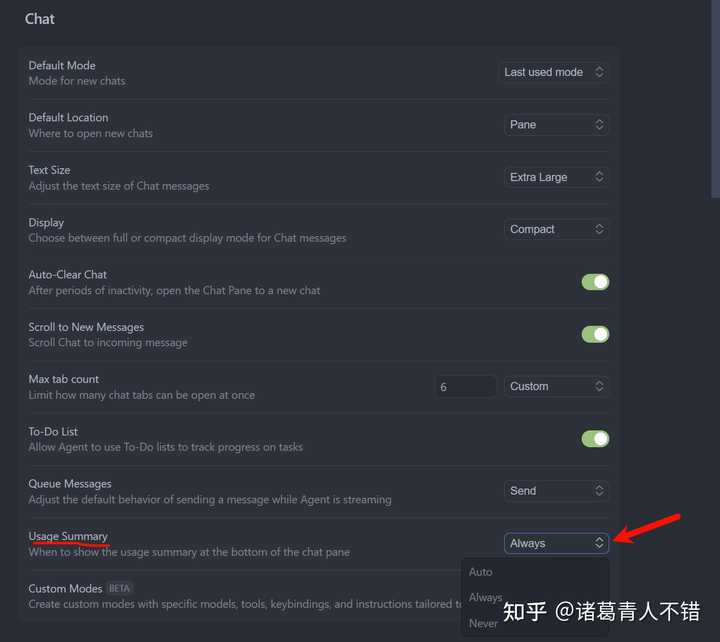
记得将设置改成Always哦。
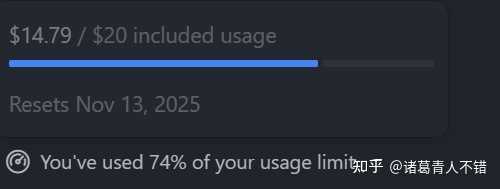
这样,Cursor的Chat栏底部就能显示你的使用量,比如我已经用了74%,总共花费了14.79美元。
质量更好的代码
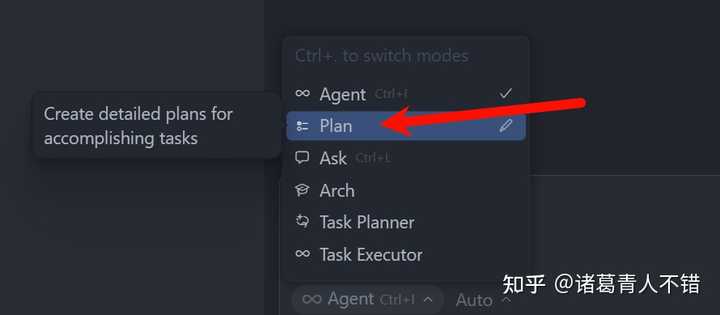
想让Cursor帮你写出更优质的代码?那么你可得试试Cursor新推出的Plan功能,只需把模式切换到Plan就行了。
比如说,你打算做一个简历网站。
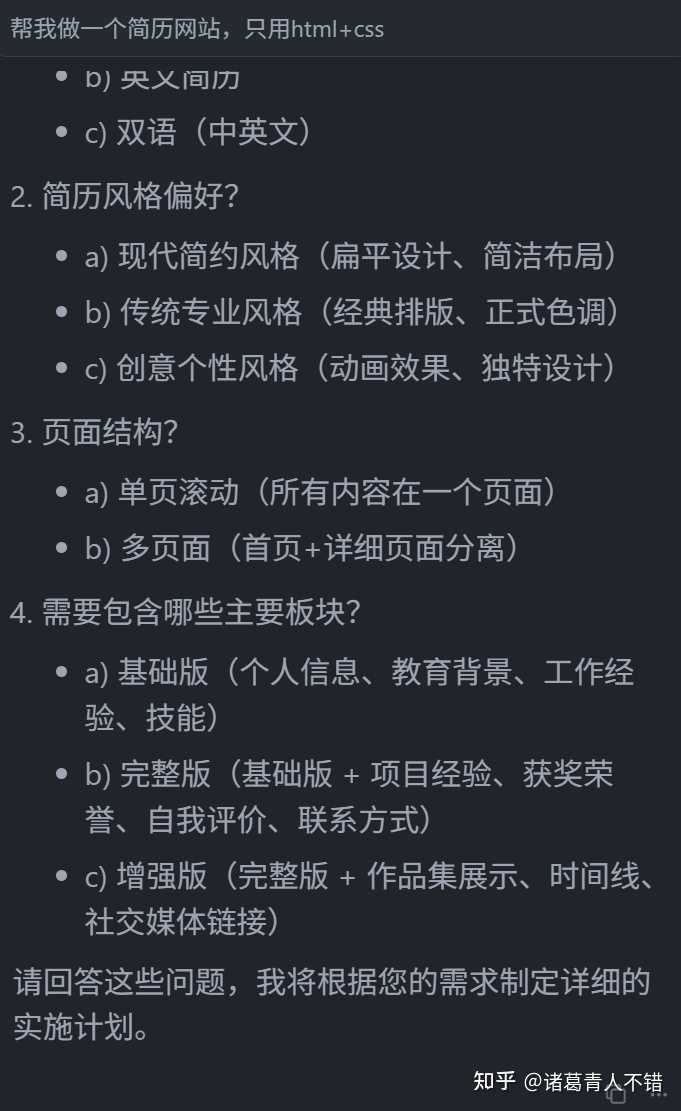
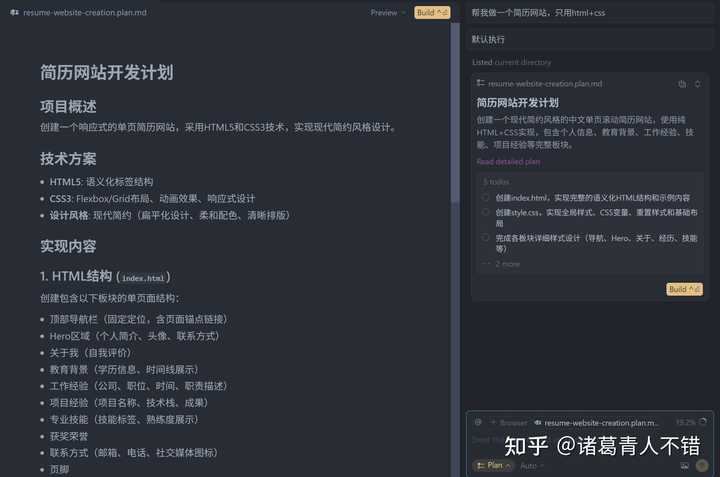
Cursor会在实际开发之前就帮你规划好要做的详细内容,这样生成的代码更符合你的期望。
Cursor会生成一个相应的Todo List,点击Build就能执行这个清单。如果觉得这个计划不够完美,可以继续提出要求,Cursor会不断更新计划文档。
注意上下文窗口
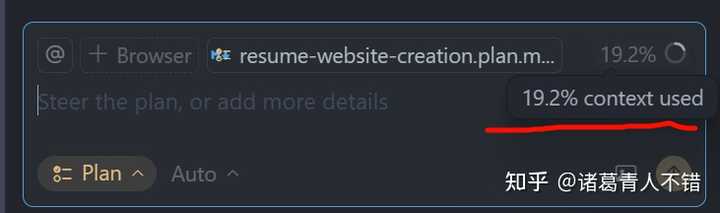
你有没有注意到Chat栏里有一个百分比的圆圈?如果显示的是19.2%,那就意味着你已经用了这么多的Context Window。
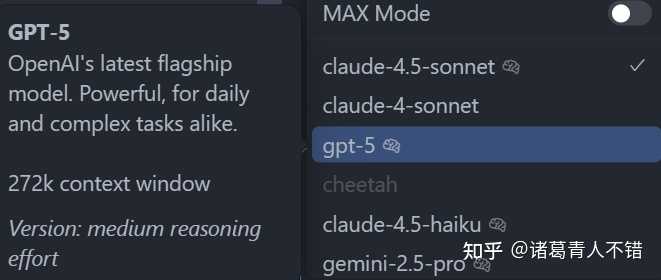
每种AI模型都有其Context Window的上限,表示它能处理的最大上下文Token量。当你使用的Context Window接近这个上限时,生成的效果可能会变得越来越差。
聪明的你可能想到了两种更好的使用策略:
- 选用Context Window更大的模型,比如GPT-5有272K的大小。
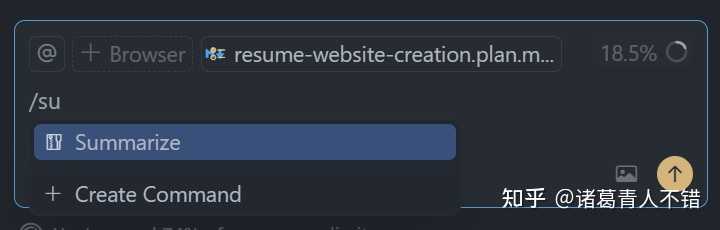
2. 及时压缩上下文窗口,只需在Chat栏输入/summarize并回车,Cursor就会自动帮你总结精简上下文,这样能大大释放Context Window的空间。
要注意的是,当Context Window快满时,Cursor会自动进行总结;而当上下文窗口超过60%时,我们也会主动执行/summarize命令,这就看个人的习惯了。
总结
最后,给聪明的你总结一下哦~
- 可以利用Cursor的Slash Command功能,创建自己喜欢的命令,比如code-review,这样每次写完代码都能方便审查。如果想了解更多优秀的命令,可以访问这个GitHub仓库。
Cursor Commands
2. 如果担心Pro账号超额使用,可以开启Usage Summary,随时关注当前的额度。
我个人还是喜欢使用auto,因为显示额度总让我有点紧张。一般情况下,我会在复杂功能实现时使用一些“最强模型”,而简单的功能、提问和快速回答可以直接用Auto。
3. 如果想让Cursor更好地规划执行任务,就直接使用Plan模式,规划好任务后,再“一键Build”,效果会更棒哦。
4. 处理上下文较大的项目时,要注意上下文窗口,不要在一个Chat窗口里不断提问,这样会导致上下文窗口紧张,影响AI生成的代码质量。记得及时使用/summarize命令进行总结,然后再开始工作。